Self-Hosted vs. Cloud-Based CMS: Which One is Right for Your Business?
ALAli··3 min read
Introduction
Choosing the right Content Management System (CMS) is crucial for businesses aiming to establish a strong digital presence. The two primary types of CMS platforms are self-hosted and cloud-based. Each has its own advantages and drawbacks, making it essential to understand their differences before making a decision. In this guide, we’ll compare self-hosted vs. cloud-based CMS, helping you determine which one suits your needs in 2025.
1. What is a Self-Hosted CMS?
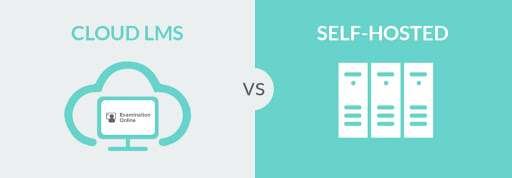
A Self-Hosted CMS requires users to set up and maintain their own hosting environment. This means you need a web hosting provider, server resources, and the ability to manage updates, security, and performance.
🔹 Key Features:
Requires separate hosting and domain setup.
Offers full control over customization and data security.
Requires technical expertise for maintenance and updates.
Commonly used for websites needing advanced customization.
🔹 Popular Self-Hosted CMS Platforms:
WordPress.org
Drupal
Joomla
Ghost (self-hosted option)
Magento (for eCommerce)
🔹 Pros and Cons:
Pros
Cons
Full control over customization and functionality
Requires technical knowledge for setup and maintenance
Better data security and ownership
Higher costs for hosting and server management
Can integrate with any third-party tools and plugins
Regular updates and security monitoring needed
Greater flexibility in performance optimization
Can be complex for beginners
2. What is a Cloud-Based CMS?
A Cloud-Based CMS is hosted and managed by a service provider, meaning users don’t have to worry about hosting, security, or maintenance. These platforms offer a streamlined experience, often with drag-and-drop interfaces and automated updates.
🔹 Key Features:
No need for separate hosting or technical setup.
Automatic updates, backups, and security management.
Limited customization compared to self-hosted solutions.
Ideal for businesses looking for an easy-to-use CMS with minimal maintenance.
🔹 Popular Cloud-Based CMS Platforms:
WordPress.com (Managed Hosting)
Wix
Webflow
Contentful
Squarespace
Shopify (for eCommerce)
🔹 Pros and Cons:
Pros
Cons
No need for technical expertise
Limited customization and third-party integrations
Automatic updates, security, and maintenance
Monthly subscription costs can add up
Quick setup with pre-built templates
Less control over performance tuning
Ideal for small businesses and startups
Content and data may be stored on external servers
3. Key Differences Between Self-Hosted and Cloud-Based CMS
Feature
Self-Hosted CMS
Cloud-Based CMS
Hosting Responsibility
User must manage their own hosting
Hosting is handled by the provider
Customization
High flexibility and control
Limited to built-in features
Security Management
User is responsible for security
Security managed by provider
Cost
Requires hosting and maintenance costs
Subscription-based pricing
Ease of Use
Requires technical knowledge
Beginner-friendly with simple UI
Best For
Developers, large businesses, custom websites
Small businesses, startups, bloggers
4. When Should You Choose a Self-Hosted CMS?
✅ Choose Self-Hosted CMS if:
You need complete control over website customization and functionality.
You want to integrate third-party applications without restrictions.
You prioritize data ownership and advanced security measures.
Your website requires high scalability and flexibility.
✅ Best For: Large businesses, developers, and enterprises needing full customization.
5. When Should You Choose a Cloud-Based CMS?
✅ Choose Cloud-Based CMS if:
You need an easy-to-use platform with minimal setup.
You don’t want to manage security, updates, or hosting.
You want a cost-effective, subscription-based solution.
You prioritize quick deployment and a hassle-free experience.
✅ Best For: Small businesses, startups, bloggers, and non-technical users.
6. The Future of CMS in 2025
🔮 Hybrid CMS Solutions – A mix of self-hosted and cloud-based capabilities is emerging. 🔮 AI-Driven CMS – AI-powered automation for personalized content recommendations. 🔮 Headless CMS Growth – API-driven CMS will become more popular for omnichannel experiences. 🔮 Enhanced Security Features – More platforms will focus on cybersecurity measures to protect user data.
Final Thoughts
Both self-hosted and cloud-based CMS have their place in web development. If you seek full control and customization, a self-hosted CMS is the way to go. However, if you want a simple, maintenance-free experience, a cloud-based CMS is the ideal choice.
Need expert advice? Ali DevSolutions can help you select the perfect CMS for your business needs! 🚀
AL
Ali
Web designer and developer at Ali Dev Solutions, building fast, accessible, conversion-focused websites for businesses worldwide.

Leave a Reply